Report Studio — How It Works
Upload to export, in pipeline order.
From the files you already produce — boring logs, lab reports, proposals — to a Word draft your engineer of record reviews and stamps.
01 — one-time setup
Firm profile onboarding
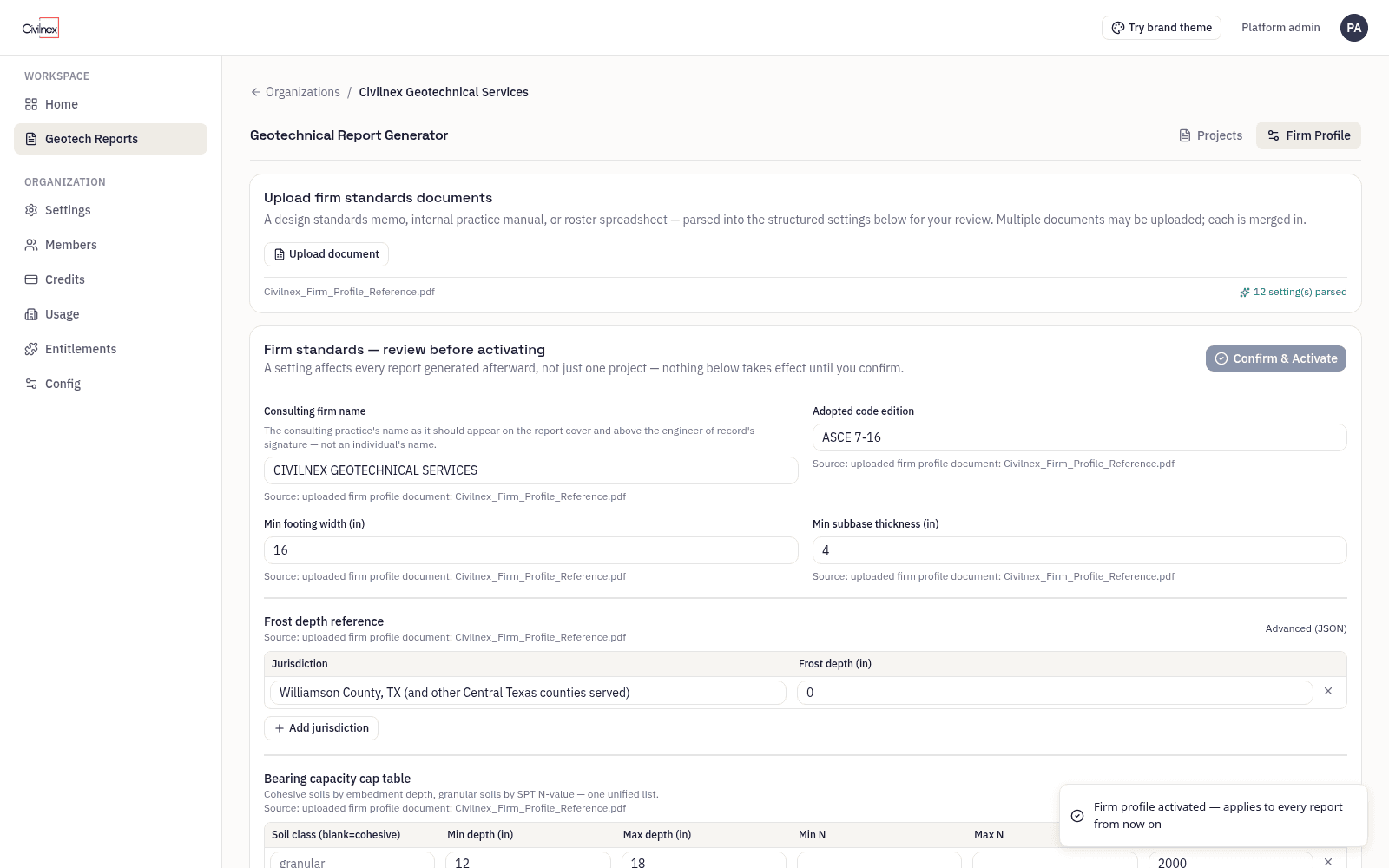
A one-time setup, done once before your first project. Upload the standards documents your firm already has — PDF, Word, or Excel — plus your report template, so exports come out in your firm's format. The parser stages a draft firm profile (it reads the firm name off your letterhead), an admin reviews it in a structured form against the source, and confirms it. Only then does it go live. Onboarding is a review, not a data-entry project.
02 — inputs
Boring logs
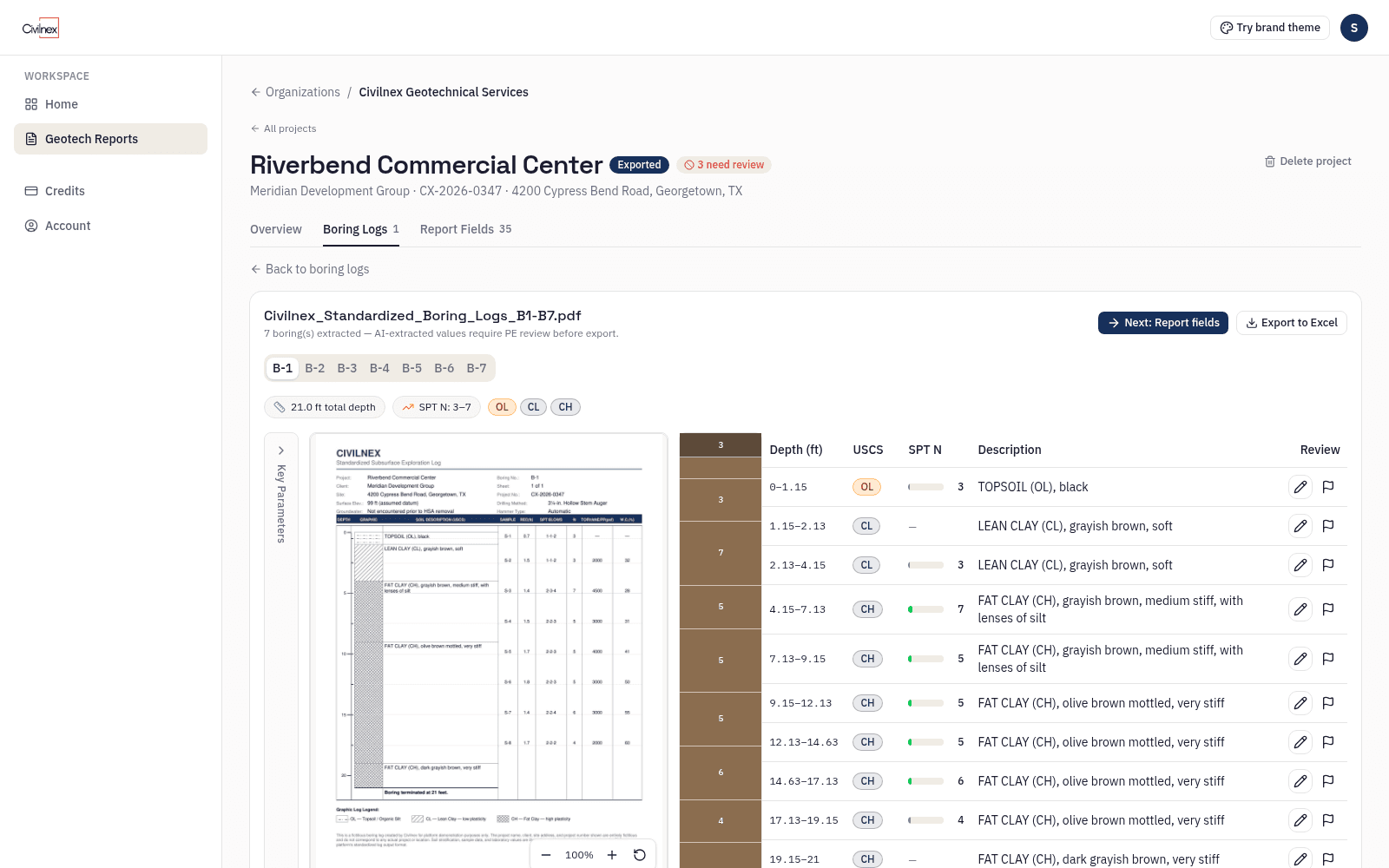
Four ingestion paths, because logs arrive in every condition:
- Structured Excel — a blank starter workbook is generated and downloadable from the app, so labs and drillers can fill it in directly.
- PDF with a table — parsed from tabulated depth columns.
- PDF without a ruled table — a depth ruler is fitted from the tick labels on the log. This second, independent strategy is why many messy legacy logs still parse.
- Scanned PDFs — read by a vision model; extracted values are flagged for engineer review before export.
Every extracted log is shown beside your original for you to verify. Once confirmed, its values are stored as fixed data and every later step works from them. Digital logs (structured Excel) skip the AI reading step.
03 — inputs
Lab test data
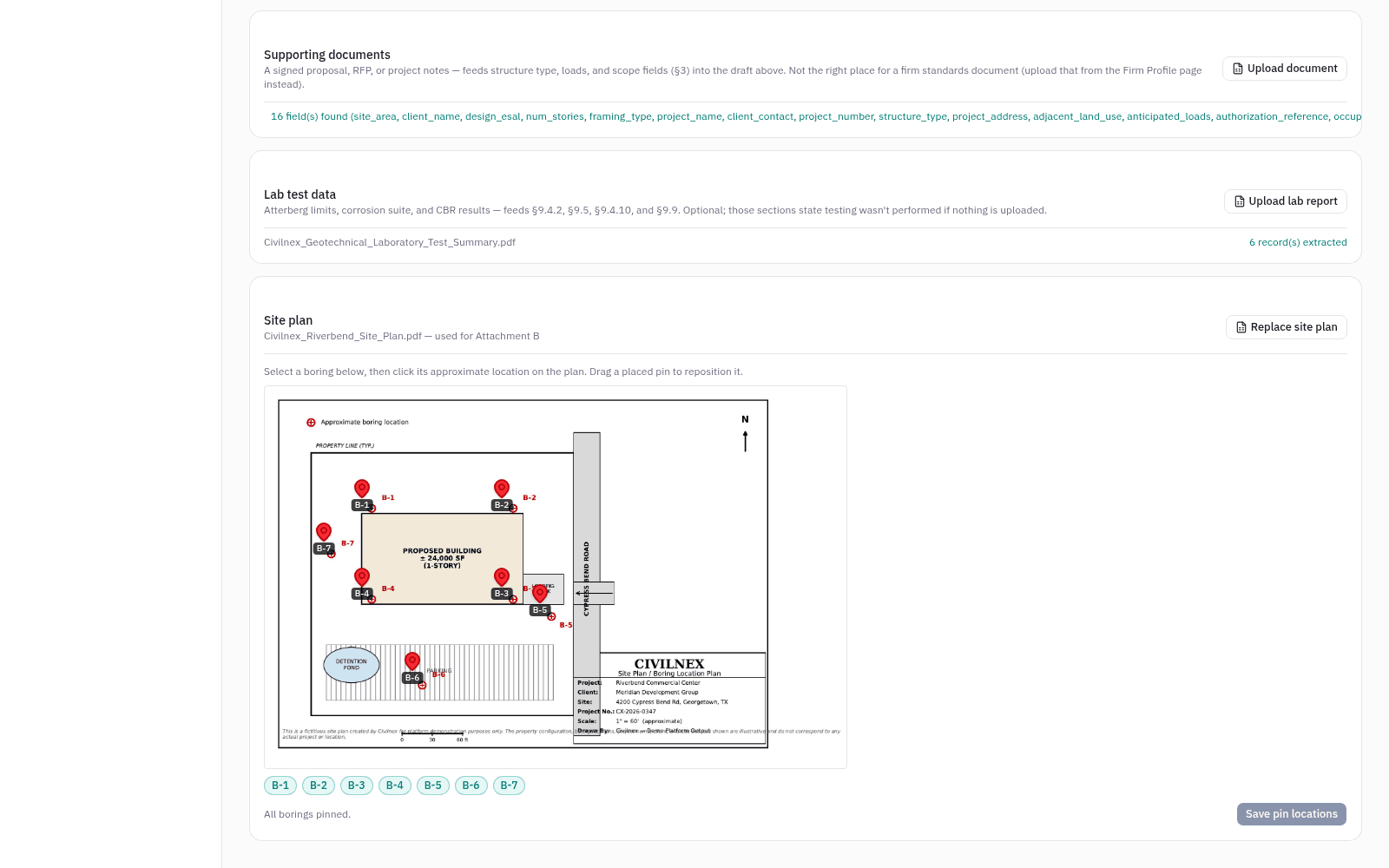
Atterberg limits, corrosion analytes, and CBR, parsed from PDF or Excel lab reports. Analytes the lab didn't run are marked 'not run,' not assumed.
04 — inputs
Supporting documents
Proposals and RFPs are read for tables and text. The AI model extracts structure type, framing, loads, and scope, tagged Document for your review.
05 — inputs
Site plan
Upload your own site plan, mark each boring's location, and the annotated plan ships inside the exported report.
06 — build
Draft build
The AI model synthesizes your verified per-boring data into site-wide strata and writes the stratigraphy narrative and site description. Report Studio's calculators then compute every engineering value from those strata, or pull it live from ASCE 7 and USDA Soil Data Access. The strata and both narratives are flagged for engineer review before export.
07 — review gate
Field review
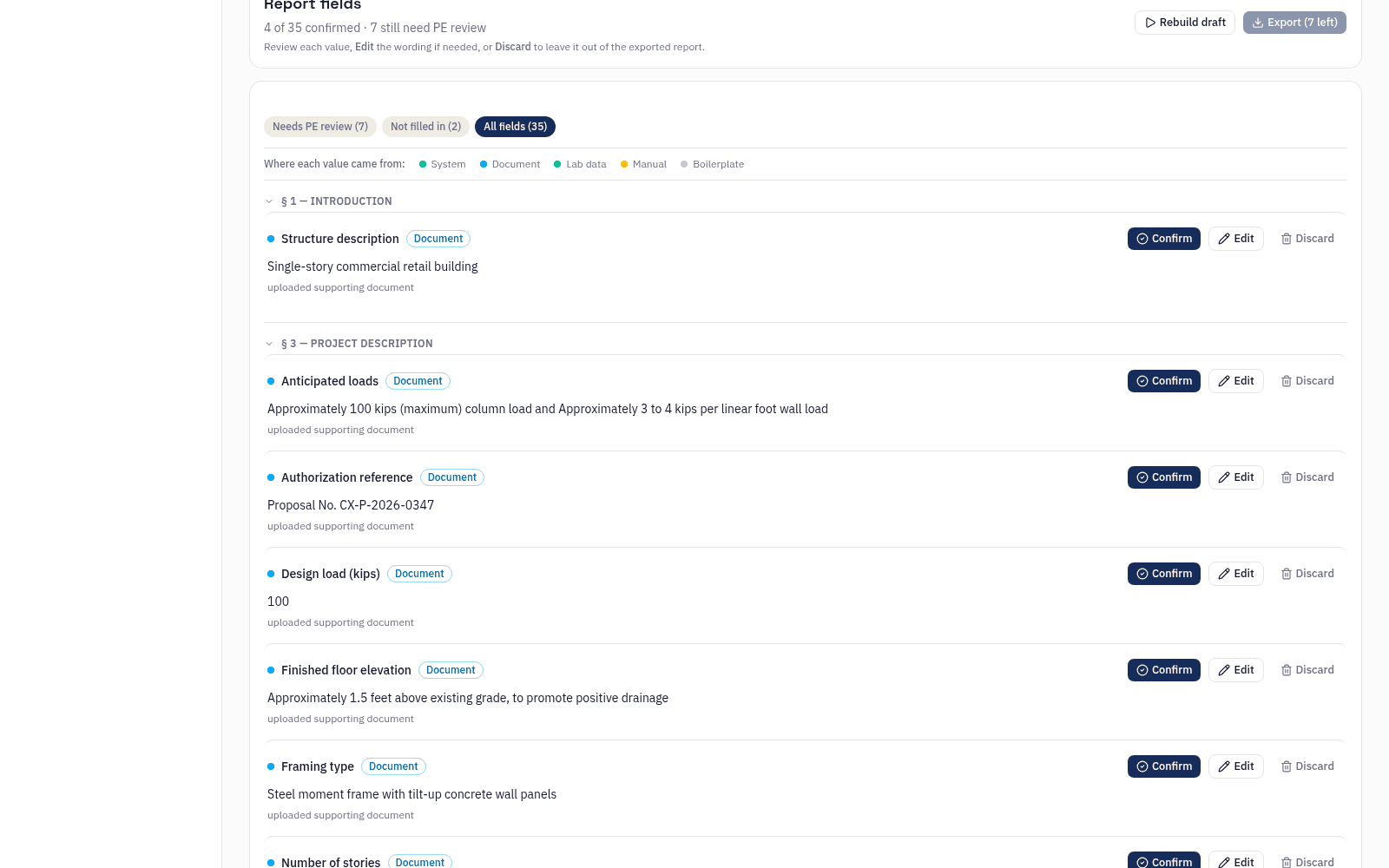
Every populated field carries a source tag — calculated, document, live data, boilerplate, or manual — and a status you can act on: confirm, edit, or discard. Fields flagged as mandatory review block export until each one is individually confirmed.
08 — deliverable
Word export
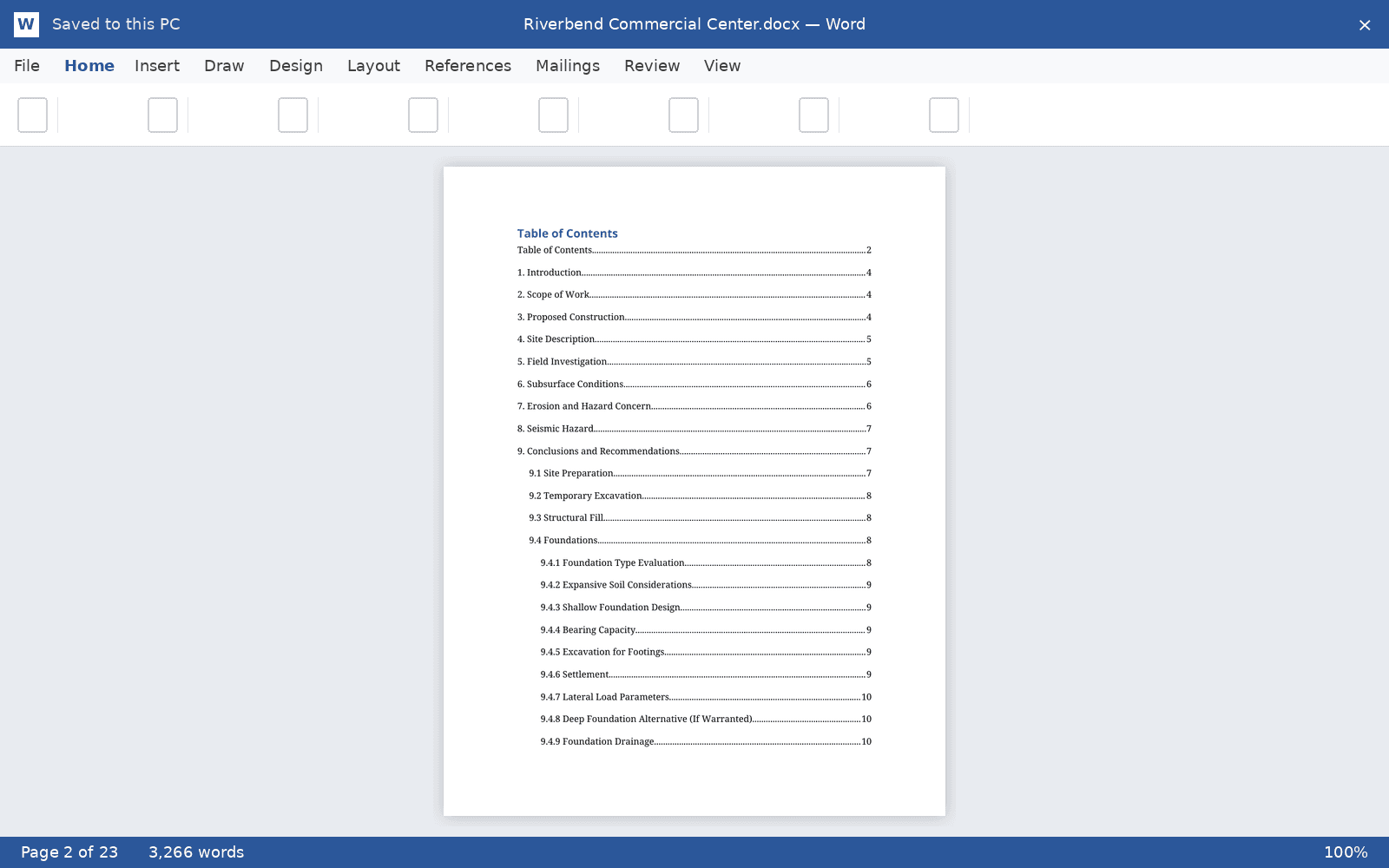
A .docx rendered on the template you uploaded during onboarding — your firm's structure, styles, and boilerplate — with a real Word table of contents field that repaginates, styled tables, the generated site plan, and lab sheets reproduced page by page as Appendix A.5.
Where the AI model fits
It reads scanned logs into structured data, which you verify side by side with your original. It reads your supporting documents for structure type, framing, loads, and scope. It fills header fields the parser can't resolve. And it synthesizes the verified boring data into site-wide strata and writes the stratigraphy narrative and site description. It never computes an engineering value, and everything it produces is flagged for your engineer's review.
Now onboarding pilot firms
Bring your template. We draft your first reports with you.
Pilot firms get hands-on onboarding — we set up your firm profile, load your report template, and run your first project through together.